Table of contents
- What Is a Restaurant POS System?
- Types of POS Systems for Restaurants
- The Shift Toward Cloud-Based and All-in-One POS Systems
- Key Features to Look for in Restaurant POS Systems
- How to Choose the Right POS System Type for Your Restaurant
- Comparing POS System Types by Restaurant Category
- Frequently Asked Questions
Behind every order and payment in a busy restaurant is one system: the point of sale — and choosing the right one is critical for efficiency and profitability. In 2026, "POS system" no longer describes a single type of technology. There are at least ten distinct types, from traditional on-premise setups to cloud-based platforms, mobile solutions, and self-service kiosks, and many restaurants today run more than one.
The ten types covered in this guide are: traditional (legacy), cloud-based, mobile (mPOS), tablet, self-service kiosk, all-in-one, quick-service restaurant (QSR), full-service restaurant (FSR), multi-location/enterprise, and hybrid. The wrong type leads to slow service and disconnected data; the right one keeps your entire operation running smoothly. This guide covers all ten — what each does, who it serves, and how to choose the mix that fits your operation.
What Is a Restaurant POS System?
A restaurant POS system is the central hub through which you handle orders, payments, and day-to-day operations. It connects your front-of-house and back-of-house in real time, so the whole team can keep service moving from one screen.
Core Functions of Restaurant POS Systems
Modern POS systems manage far more than transactions. A full-featured platform handles order entry, payment processing, menu and inventory management, staff tracking, and sales reporting — and sends orders directly to the kitchen through a kitchen display system. A well-chosen POS brings all of these functions together in one place, reducing errors and saving time on every shift.
Why POS System Type Matters for Your Restaurant
Not every POS system is built for the same environment. A quick-service restaurant lives and dies by how quickly it can move the line, while a full-service restaurant needs table management and coursing for guests who settle in for a longer stay. A food truck, meanwhile, needs something portable and reliable even without a strong internet connection.
When a POS system matches the way a restaurant operates, it streamlines order processing, reduces wait times, and supports better decisions through real-time data — all of which directly supports revenue. When it doesn't, mismatches — a system too slow for a QSR rush or one that lacks table management for a full-service floor — erode both the customer experience and profitability.
All-in-one platforms like Otter are designed to combine multiple capabilities into a single system, but the right foundation starts with knowing what each type can do.
Types of POS Systems for Restaurants
These categories often overlap in real restaurants, and most modern systems blend several types into one platform. A cloud-based system can also be tablet-based; a QSR-focused platform may include kiosk and mobile capabilities. The key is understanding what each type is built to do, so you can choose the right mix for your operation.
1-. Traditional (Legacy) POS Systems
A traditional POS system is an on-premise setup where all software and data live on local servers installed at the restaurant. Staff handle every order and payment through fixed, hardwired terminals that also generate basic reports.
These systems were the industry standard for decades, and some restaurants still rely on them — particularly older establishments with existing hardware investments. The upfront cost is significant, typically ranging from $5,000 to $15,000 for hardware and installation. Ongoing maintenance fees add to that over time, and updates require manual installation, remote access is limited, and scaling to new locations takes considerable IT support.
Best for: Operators who need local data control or run in areas with unreliable internet. For most new restaurant openings, cloud-based alternatives have largely replaced them.
2-. Cloud-Based POS Systems
A cloud-based POS system stores data and runs software on remote servers accessed through an internet connection, rather than on local hardware. This means you can view sales reports, update menus, and manage operations from anywhere — including your on-site terminal.
Cloud-based systems have become the dominant choice for new restaurant deployments. Industry estimates suggest more than 70% of new restaurant POS deployments now use a cloud-based architecture. Software updates happen automatically and the system scales easily as you add locations or features. Pricing is subscription-based rather than a large upfront investment, with monthly costs generally ranging from $0 to $300 depending on the provider and plan.
Best for: Most restaurant types, particularly those prioritizing flexibility, remote access, and lower upfront costs.
For operators who want an accessible entry point, Otter's cloud-based POS starts at $19 per month, with analytics and menu management included, plus 24/7 customer support.
3-. Mobile POS (mPOS) Systems
A mobile POS system runs on a smartphone or tablet, allowing staff to take orders and process payments anywhere — at the table, at an outdoor event, or at a pop-up with no fixed infrastructure at all. Instead of routing every transaction through a stationary terminal, the POS travels with the server or operator.
In full-service environments, tableside ordering cuts the back-and-forth between the floor and a fixed terminal. That reduction in steps shortens wait times and tends to improve order accuracy, since servers confirm items directly with guests rather than transcribing them from memory.
Best for: Full-service restaurants looking to improve tableside efficiency, food trucks, and operators running events or pop-up services.
Otter's Handheld POS is available as an add-on starting at $39 per month, giving servers a dedicated mobile device for tableside ordering and payment processing.
4-. Tablet POS Systems
A tablet POS system uses a consumer-grade tablet — most commonly an iPad or Android device — as the primary ordering and checkout interface. It offers much of the functionality of a traditional terminal at a fraction of the hardware cost. The touchscreen interface is familiar enough that most staff find it intuitive without extensive training.
Tablet systems are popular across restaurant types because they balance affordability with capability. Setup is fast compared to legacy systems, and the hardware is straightforward to replace if damaged. The main limitation is that a single tablet is a single point of failure — high-volume environments typically pair tablet systems with additional hardware like receipt printers and cash drawers to build out a more complete setup.
Best for: Independent restaurants, food trucks, and smaller operations looking for an affordable, easy-to-deploy setup.
Monthly software costs generally range from $50 to $150, with hardware adding to the upfront investment depending on what peripherals you need.
5-. Self-Service Kiosk POS Systems
A self-service kiosk is a freestanding or counter-mounted touchscreen terminal that allows guests to browse the menu, customize their order, and pay without interacting with a cashier. The order flows directly to the kitchen, reducing the front-of-house labor required during peak hours.
Kiosks have become increasingly common in quick-service and fast-casual environments, and the revenue case for them is well-documented. Customers ordering through kiosks tend to spend more — research from QSR Magazine and the Kiosk Industry Association indicates that average order values run 10% to 30% higher at kiosks than at traditional cashier counters. Without the subtle social pressure of a line behind them, guests take more time to browse, customize, and add items.
Best for: Quick-service and fast-casual restaurants looking to increase throughput, reduce labor dependency at the counter, and lift average order values.
Otter's Kiosk is available starting at $99 per month and integrates directly with the Otter POS, so orders, menus, and reporting stay connected across every channel. For a deeper look, see our complete guide to restaurant kiosks.
6-. All-in-One POS Systems
An all-in-one POS system combines core functions like order management and payment processing with additional capabilities such as online ordering, delivery integration, and loyalty programs — all within a single platform. Rather than managing separate tools that each handle one piece of the operation, everything runs from the same system and shares the same data.
Best-of-breed setups go deep in individual areas, but they often bring integration headaches and scattered data. An all-in-one platform trades some of that specialization for coherence, which tends to be the better fit when you're managing a busy service floor and don't have time to troubleshoot disconnected systems.
Best for: Restaurants of all types that want to consolidate their tech stack and reduce the number of vendor relationships they manage.
Otter is built as a comprehensive restaurant tech platform. The Main Plan bundles POS, Analytics, Menus, Live Alerts, and Rebates, with optional add-ons like Handheld POS and Kiosk available as your operation grows.
7-. Quick-Service Restaurant (QSR) POS Systems
A QSR POS system is purpose-built for high-volume, fast-paced service environments where speed is the top priority. These systems are optimized for rapid order entry and quick payment processing, with tight kitchen integration so tickets move from screen to preparation without delay.
In high-volume QSR settings, the system also needs to handle multiple ordering channels simultaneously — in-store, drive-through, and online orders arriving at once. Kiosks and handheld devices often complement the main terminal during peak periods to keep throughput high. Loyalty programs and customer data tools are common additions, since QSR operators tend to have large, repeat customer bases worth engaging.
Best for: Quick-service and fast-casual restaurants prioritizing speed, high volume, and multi-channel order management.
8-. Full-Service Restaurant POS Systems
A full-service restaurant POS is designed around the rhythms of a seated dining experience. A server might be managing six tables at once — each at a different point in the meal, with different coursing needs and split check requests — and the POS has to make that complexity manageable rather than amplify it.
Table management, course-by-course ordering, and split checks are central to how these systems work. Integration with reservation platforms and CRM tools supports the longer guest relationship that full-service dining depends on.
Best for: Full-service, fine dining, and casual dining restaurants where table management, coursing, and guest relationship tools are essential.
9-. Multi-Location and Enterprise POS Systems
A multi-location POS system provides centralized management across two or more restaurant locations from a single dashboard. Rather than logging into separate systems for each site, operators can update menus, monitor sales, and pull consolidated reports across the entire portfolio in one place.
For growing chains and franchise operators, this visibility is essential. Inconsistent menus, pricing discrepancies, and fragmented sales data become real operational problems at scale — and they're difficult to address without a system designed to handle them. Enterprise-grade platforms also tend to offer more robust accounting software integrations and dedicated customer support for complex operations.
Best for: Multi-location chains, franchise operators, and enterprise groups that need centralized management and consistent operations across every site.
Otter supports multi-location operators with centralized management across all locations and custom pricing based on the size of the operation.
10-. Hybrid POS Systems
A hybrid POS system combines cloud-based and on-premise architecture, storing some data locally while also syncing with the cloud. The practical benefit is continuity: if the internet connection drops, the system keeps processing orders and payments using locally stored data, then syncs everything back once connectivity is restored.
For restaurants in areas with unreliable internet — or those that can't afford any downtime during service — a hybrid system offers resilience without giving up the flexibility of cloud access. The trade-off is added complexity in setup and maintenance compared to a purely cloud-based solution, which is worth weighing carefully before committing.
Best for: Restaurants in locations with unreliable internet connectivity, or operators who need the flexibility of cloud access with the reliability of local data storage as a backup.
The Shift Toward Cloud-Based and All-in-One POS Systems
Why Restaurants Are Moving to the Cloud
Cloud-based POS adoption has accelerated because the operational advantages compound quickly. Remote access, automatic updates, and predictable monthly costs make these systems easier to manage and easier to scale — particularly for operators adding locations or channels without adding IT overhead.
Benefits of All-in-One Platforms
The shift toward all-in-one platforms follows the same logic. When your POS, ordering, delivery, analytics, and menu management all live in the same system, the data stays consistent and the operational picture stays clear. Staff work from one interface, training is simpler, and support issues go to one vendor. As the operation grows — adding locations, channels, or service types — the platform grows with it.
The Future of Restaurant POS Technology
The direction of restaurant POS technology points toward deeper integration and greater automation. Kitchen display systems are becoming more sophisticated, connecting more directly with inventory and prep workflows. Self-service ordering through kiosks and mobile devices continues to expand, with loyalty and customer data tools embedded directly into the ordering experience. Real-time reporting is increasingly the baseline expectation rather than a premium feature.
For restaurant operators making POS decisions in 2026, the systems worth evaluating are those built to support where the industry is going — cloud-native, integration-ready, and flexible enough to add capabilities without starting over.
Key Features to Look for in Restaurant POS Systems
Every POS system is different, but there are core capabilities to evaluate before you commit to a platform — regardless of which type you're considering.
Order Management and Kitchen Integration
Order management is the backbone of any restaurant POS. The system should handle modifiers, customizations, and coursing cleanly, then send tickets directly to the kitchen the moment an order is placed — no manual relay required. Online ordering and delivery channels should feed into that same flow.
Kitchen display system integration is particularly important here. When the POS and KDS communicate in real time, the kitchen sees every order the moment it comes in, whether from the counter or a delivery platform. That connection reduces miscommunication and keeps the back-of-house in step with service. Otter's POS integrates directly with its KDS and delivery channels, so every order source feeds into one unified view.
Payment Processing Capabilities
A restaurant POS should support the payment methods guests expect: EMV chip cards, contactless payments, and mobile wallets, along with common features like split checks and tip prompting. Gaps in any of these slow down checkout and create friction at the moment that most directly shapes a guest's final impression.
Processing fees vary by provider and typically fall between 2.3% and 3.5% per transaction — so run the numbers against your average check size and volume. Otter's rates are 2.39% plus 15 cents per transaction on the Main Plan, or 3.19% plus 15 cents on the Starter Plan.
Inventory and Menu Management
Real-time inventory tracking helps operators avoid running out of menu items mid-service. The best systems alert you when stock runs low and update menu availability across channels automatically.
Multi-channel menu management is especially important for restaurants taking orders through multiple platforms. Otter's Menus tool pushes updates across all channels from a single dashboard, eliminating the manual work of updating each platform separately.
Reporting and Analytics
Sales data is only useful if you can access it quickly and in a format that informs decisions. Cloud-based systems deliver real-time reporting so you can check how a shift is tracking before it ends. Legacy systems generate reports after the fact, which limits how quickly you can act on what the data shows.
The most useful POS reporting covers sales by item, labor costs, and peak period trends — the metrics that give operators a clear picture of where the business stands. Otter Analytics is included across all plans, with no separate reporting tool required.
Integrations and Scalability
A POS system doesn't operate in isolation. The more cleanly it connects with your accounting software, payroll system, reservation platform, loyalty program, and delivery channels, the less manual work your team carries to reconcile data across tools.
Scalability is important for operators with growth plans. A system that works well for one location should support additional terminals and new sites without requiring a full platform switch. Factor in what that expansion costs — both in platform fees and hardware — before you sign a contract.
How to Choose the Right POS System Type for Your Restaurant
With ten POS system types on the table, the decision can feel big — but a few focused questions make it much easier to handle.
Assess Your Restaurant Type and Service Mode
The way your restaurant operates should drive the type of POS you choose. A quick-service restaurant needs a system built for speed, with support for kiosks and mobile ordering to keep the line moving, while a full-service restaurant needs table management, coursing, and handheld ordering so servers can run a busy floor without returning to a fixed terminal. A food truck needs something portable that works reliably offline, and a multi-location operator needs centralized control across every site from a single dashboard.
A system that's a poor fit for your service model will create friction no matter how strong its other capabilities are, so start here before evaluating features or pricing.
Consider Your Budget and Growth Plans
Traditional systems carry a large upfront hardware investment, while cloud-based and tablet systems spread costs across a monthly subscription — but neither model is inherently better. The key is understanding the total cost of ownership over two to three years, not just the starting price. Factor in processing fees, hardware, and other add-ons — and what it costs to add a location or terminal as your operation expands. Otter's pricing is transparent, starting at $19 per month for the Starter Plan and $59 for the Main Plan, with no hidden fees.
Evaluate Technology Infrastructure Needs
How reliable is your internet connection? What hardware do you already own, and is it compatible with the platforms you're considering? How much IT support do you have access to, and how comfortable is your staff with new technology? These are the infrastructure questions worth answering before you commit to any system.
Cloud-based systems require a stable internet connection to function at full capacity. Hybrid systems may be a better fit when connectivity is a concern. Running through these questions early will rule out certain system types quickly and point you in a clearer direction.
Prioritize Must-Have Features
Before comparing platforms, separate your non-negotiables from your nice-to-haves. A QSR operator might need kiosk integration and drive-through support above all else, while a full-service operator prioritizes table management and a food truck owner cares most about offline reliability and ease of use.
This list also clarifies whether a comprehensive platform or a best-of-breed stack fits you better. If your needs are fairly contained, an all-in-one system like Otter simplifies the stack considerably. If you have highly specific requirements in one area, a specialized tool might serve you better — though the added integration complexity is worth factoring in.
Test Multiple Systems Before Deciding
No amount of research replaces hands-on time with a system. Demo three to five platforms, and whenever possible, involve the staff who will use it daily — their feedback on ease of use is often more revealing than a feature checklist.
Check third-party reviews and ask providers for references from restaurants similar to yours. Pay particular attention to onboarding and ongoing support, and to what it takes to exit the contract if the system doesn't work out.
Comparing POS System Types by Restaurant Category
Knowing the ten POS types is helpful, but the real work is matching them to your restaurant. Here's how common restaurant categories align with those types.
Speed and volume define QSR operations, and the POS stack needs to match that pace. The recommended combination is a cloud-based POS paired with self-service kiosks and handheld devices. Kiosks reduce pressure on the front counter during peak hours while lifting average order values, and handheld devices let staff take orders in line before guests reach the counter.
Otter's Main Plan paired with the Kiosk add-on supports this QSR setup, with optional Handheld POS for lines that need extra support.
Best POS Types for Full-Service Restaurants
Full-service restaurants need a system that handles a seated dining experience without slowing service. The recommended combination is a cloud-based full-service POS with handheld ordering capability. A cloud-based system with strong table management is the core requirement — servers need to track multiple tables across different courses and check configurations from one screen. Handheld ordering extends that capability to the floor, so servers spend more time with guests and less time moving between tables and a fixed terminal.
Guest relationship tools and reporting round out the stack — reservation integration, CRM capabilities, and data on server performance and menu profitability give operators the insight to make better decisions about staffing and the menu over time.
Best POS Types for Food Trucks and Mobile Operations
Food trucks and mobile operators need portability, simplicity, and reliability in environments where internet access isn't guaranteed. The recommended setup is a mobile or tablet-based cloud POS — a system that handles order entry, payment processing, and core reporting without requiring any fixed infrastructure.
For operators running lean, Otter's Starter Plan at $19 per month paired with a tablet offers a low-barrier entry point.
Best POS Types for Multi-Location Chains
Multi-location operators need an enterprise or a full-stack cloud-based POS with centralized menus and consolidated reporting across all locations. All-in-one platforms are particularly well-suited here since they reduce the number of systems to manage as the portfolio grows.
Otter’s POS offers centralized management across locations with custom pricing for your footprint.
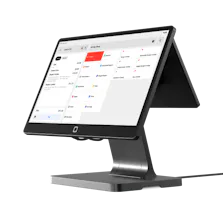
Otter POS for restaurants
The all-in-one platform that enhances operations across your entire business. Consolidate orders, increase sales, and make your days easier.
Frequently Asked Questions
What POS system do most restaurants use?
Many restaurants rely on Toast, Square, Clover, NCR Aloha, and Lightspeed. Cloud-based platforms now dominate new deployments across all restaurant segments, with independent and multi-location operators increasingly turning to newer platforms built around flexibility and integration. Otter is gaining adoption among growing operators looking for a one-stop solution that consolidates POS, ordering, and analytics in one place.
What are the 4 types of POS systems?
The traditional answer groups POS systems into four categories: traditional, cloud-based, mobile, and tablet. The modern view adds kiosks, all-in-one platforms, and several restaurant-specific variations to that list. As this guide covers, there are now at least ten distinct types relevant to restaurant operators, and most modern deployments blend several of these into one platform.
What is a restaurant POS system?
A restaurant POS system is the central hub for orders, payments, and day-to-day operations. Modern systems go well beyond transactions — integrating inventory, kitchen communication, online ordering, delivery, and analytics into one platform.
How much does a restaurant POS system cost?
Traditional on-premise systems typically require $5,000 to $15,000 upfront, while cloud-based systems generally run $0 to $300 per month and tablet systems typically run $50 to $150 per month. Hardware adds $500 to $5,000 or more depending on the setup. Payment processing fees typically fall between 2.3% and 3.5% per transaction across most providers. Otter pricing starts at $19 per month on the Starter Plan and $59 per month on the Main Plan.
What is the 30/30/30 rule for restaurants?
The 30/30/30 rule is a general benchmark for restaurant cost management: roughly 30% of revenue toward food costs, 30% toward labor, and 30% toward overhead, leaving approximately 10% as profit. It's a financial guideline rather than a POS concept, but a well-configured POS plays a role in tracking and managing these numbers. Otter Analytics monitors food costs, labor percentages, and overall profitability in real time, making it easier to stay aligned with targets like these across every shift.
How long does it take to set up a point of sale system?
Setup time depends on the system type. Cloud-based and tablet systems can typically be up and running within one to seven days, depending on menu complexity and hardware configuration. Traditional on-premise systems often take two to six weeks. Otter's onboarding process typically runs three to seven days, with dedicated support throughout setup.
How do I choose a POS system?
The full breakdown is in the "How to Choose" section above, but the short version is: start with your service model, identify must-have features, calculate total cost of ownership over two to three years, and demo three to five systems with your staff before deciding.
What are the key functions of a restaurant POS system?
Order management, payment processing, inventory tracking, staff management, reporting, and kitchen communication are the core functions. The more of these that live in one platform, the less reconciliation work falls on the operator.
What features should I look for in a restaurant POS system?
Start with the essentials: order entry, payment processing, and kitchen integration. From there, important capabilities include cloud-based access, real-time inventory, and multi-channel menu management. For operators who want one platform to handle everything, advanced features like delivery integration, loyalty programs, and analytics are worth prioritizing. Otter includes Analytics, Menus, and Live Alerts as standard across its plans.
What's the difference between cloud-based and traditional POS systems?
Traditional POS systems store data and run software on local servers, requiring significant upfront investment and manual updates. Cloud-based systems host everything remotely, with automatic updates and the ability to manage the operation from anywhere. Cloud-based systems offer greater flexibility and lower upfront costs, which is why they've become the default for most new restaurant openings.
Can I use multiple POS system types in my restaurant?
Yes — and many restaurants do, combining cloud-based terminals with tablets, kiosks, and mobile devices into one integrated setup. A QSR might run a cloud-based terminal alongside self-service kiosks and a handheld for line busting, while a full-service restaurant might pair a cloud-based system with tableside handheld ordering. The key is that all components integrate with the same backend so data stays consistent across every touchpoint. Otter's platform supports Terminal, Handheld, andKiosk from one unified system, so operators can build out their setup without managing multiple disconnected tools.

Book a demo to see how Otter’s all-in-one platform can help your restaurant thrive.